Why Are Instagram DMs Not Working?
Direct Messages on Instagram (DM) are a vital component of the communication process in the service. DMs are the key to our Instagram communication with friends, customer support, or even influencers. Nevertheless, numerous users complain about such issues as messages not being sent, lost, or not loading. If you’ve experienced any of these, you might be asking yourself: why are my Instagram DMs not working?
This may occur due to a variety of reasons, including server malfunctions to app bugs or network issues. And in case Instagram DMs are not functioning today, you are not the only person who is affected. So, why does it occur and what can you do to correct the situation? Let us examine this in detail.
Supercharge Your Instagram Growth
Promote your Instagram with AI-powered tools that refine your strategy, accelerate discovery, and convert views into fans
Get Instagram Likes Now
Why Does Instagram DMs Not Working Issue Often Occur?
The Instagram DMs can break down because of numerous reasons, and you cannot always prevent it. The following are the most frequent offenders:
- Server-side issues: Instagram is a worldwide platform that has millions of users every day. In some cases, the company does maintenance or experiences unexpected outages. This can lead to such functions as DMs not working properly.
- Account restrictions: Instagram can temporarily restrict your access to Direct Messages in case they think you have broken its community rules, such as by sending spammy links or messages.
- Software bugs: Bugs in the version of the app you are using or incompatibility with the operating system in your phone may cause your message features to become unresponsive or have issues with the interface.
- Connectivity problems: A weak or a slow network connection can fail to load messages, update or deliver them.
- Compatibility of the devices: The new Instagram features might not be compatible with old phones or an outdated operating system.
Understanding these possible causes can help you troubleshoot the Instagram DMs not working today issue more effectively.
9 Solutions to Instagram Direct Messages Not Working
Having problems with Instagram DMs may be annoying, particularly when you use the platform to communicate daily. The following are 9 workable solutions that will assist you in regaining normal messaging capability.
1. Check Internet Connection
A poor or spotty connection can be the cause of direct messages not loading or sending. Switching to mobile data (or vice versa) can help. Restarting your router can also solve connectivity problems. You may also check your connection speed with an online speed test to ensure you're connected stably.
2. See whether the Instagram servers are down or not
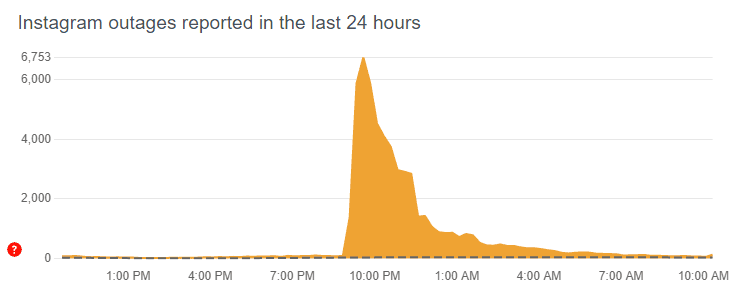
The issue might lie with Instagram’s own servers. Visit tools like Downdetector or check Twitter for outage reports. If other users are experiencing the same problem, you may just have to wait.
3. Restart and Close The App
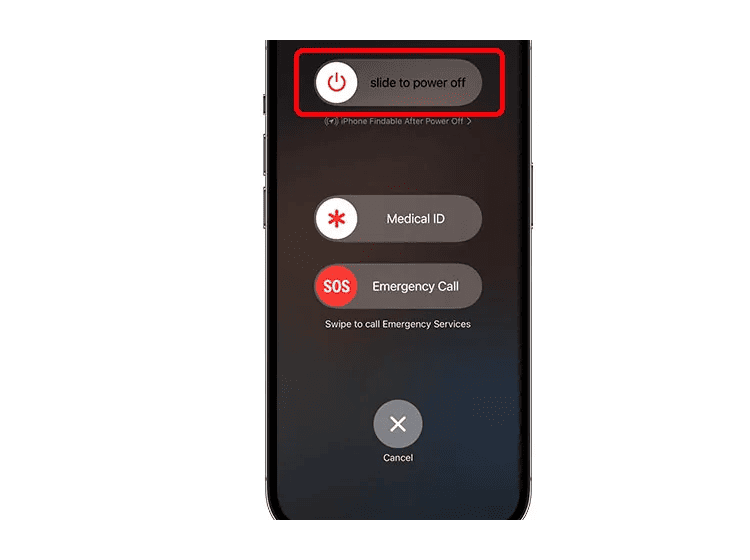
Apps like Instagram occasionally bug out after running for extended periods. Force-close the app and reopen it. This simple action often solves temporary glitches, frozen chats, or failed message delivery.
4. Logout And Sign In Once Again
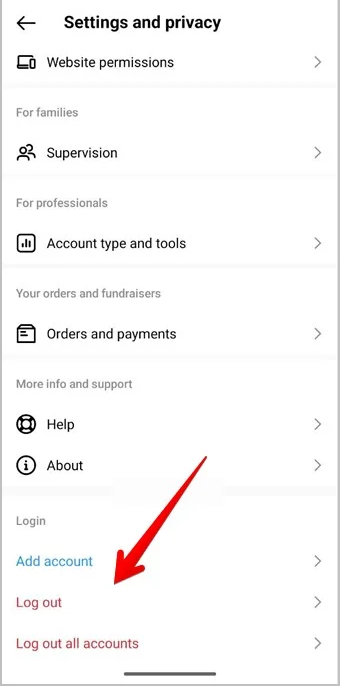
Logging out and back in can refresh your account session and clear syncing issues. Head to your profile > menu > Settings and privacy > Log out. Then reopen the app and sign back in.
5. Clear Instagram Cache
On Android: Go to Settings > Apps > Instagram > Storage > Clear Cache.
On iOS: There's no cache clear option; uninstall and reinstall instead.
Clearing the cache helps resolve deep-rooted app glitches and improves app performance.
6. Update Instagram App
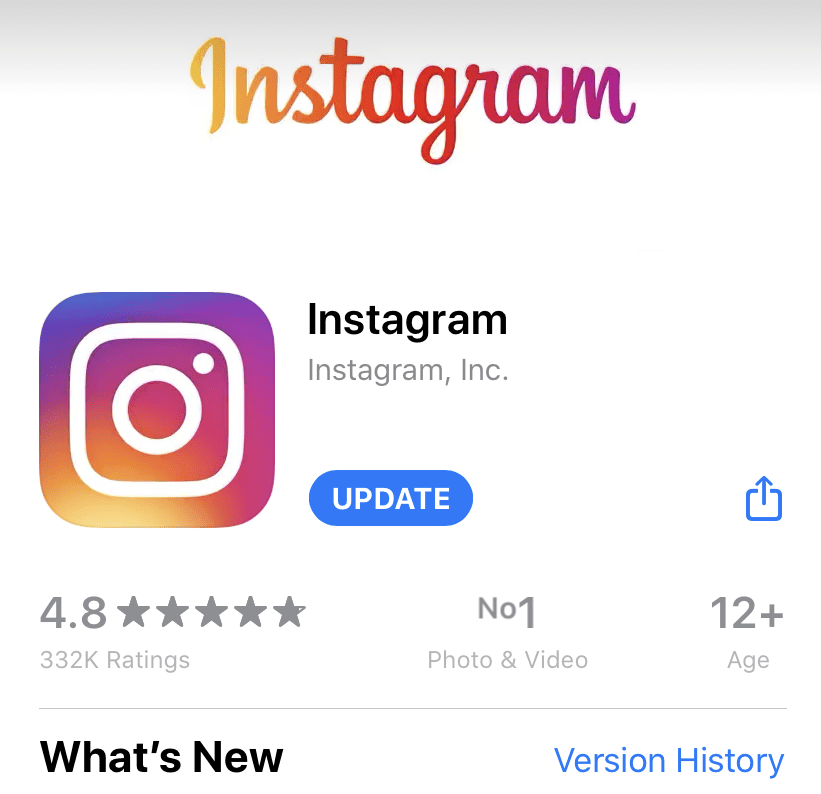
On Android: Open Google Play > Search Instagram > Tap Update.
On iOS: Go to App Store > Tap profile picture > Scroll to Instagram > Tap Update.
Updating ensures bug fixes, compatibility, and access to the latest messaging features.
7. Reinstall The App Once More
Deleting and reinstalling Instagram clears hidden corrupted files. It also ensures you're using the latest app version, fully compatible with your OS.
8. Web Version of Instagram
If the app is buggy, switch to Instagram.com on desktop. After logging in, click the paper plane icon to view your DMs. This version can be more stable during app outages.
9. Reach Instagram Help
If all else fails, go to Profile > Menu > Settings and privacy > Help > Report a Problem. Describe the issue clearly (e.g., "Instagram DMs not working today") and submit it for review.
The failure to work with Instagram DMs may interfere with personal communication, professional networking, and partnerships. Fortunately, most issues are temporary and easily fixable using the steps above.
If this guide helped you, bookmark it! Instagram glitches are more common than you might think.
FAQ
1. Is it possible to be banned using Instagram DMs?
Yes. Sending mass messages, spammy links, or content that violates Instagram’s guidelines may result in a temporary or permanent DM ban.
>>>Don’t miss: Buy Instagram followers Poprey
2. Why are DMs on Instagram not syncing across devices?
Using different app versions or unstable internet connections on multiple devices can cause sync issues. Make sure all devices are updated and logged into the same account.
>>>Don’t miss: Instagram Auto Liker
3. Why do photos or videos not send in my Instagram DMs?
This could be due to large file sizes, unsupported formats, or weak internet. Also, Instagram blocks certain content types for security reasons.
>>>Don’t miss: Instagram Follower Tracker
4. Does Instagram have a daily limit of messages that I can send?
Yes. Although not publicly disclosed, sending too many messages — especially to non-followers — can trigger rate limits or restrictions.
>>>Don’t miss: Buy Custom Instagram Comments
5. Why are my DMs going off or being automatically deleted?
This may be due to Vanish Mode or the other person unsending the message. Bugs or sync errors can also cause messages to disappear.